Korea Year-End Tax Refund: Payment Date and How to Check It
In Korea, your year-end tax settlement refund is paid by your employer, not straight from the tax office. Here is how to check the amount on Hometax, the 2026 payment timeline (March 18 and March 31), and what to do if the money never arrives.
 Ethan Caldwell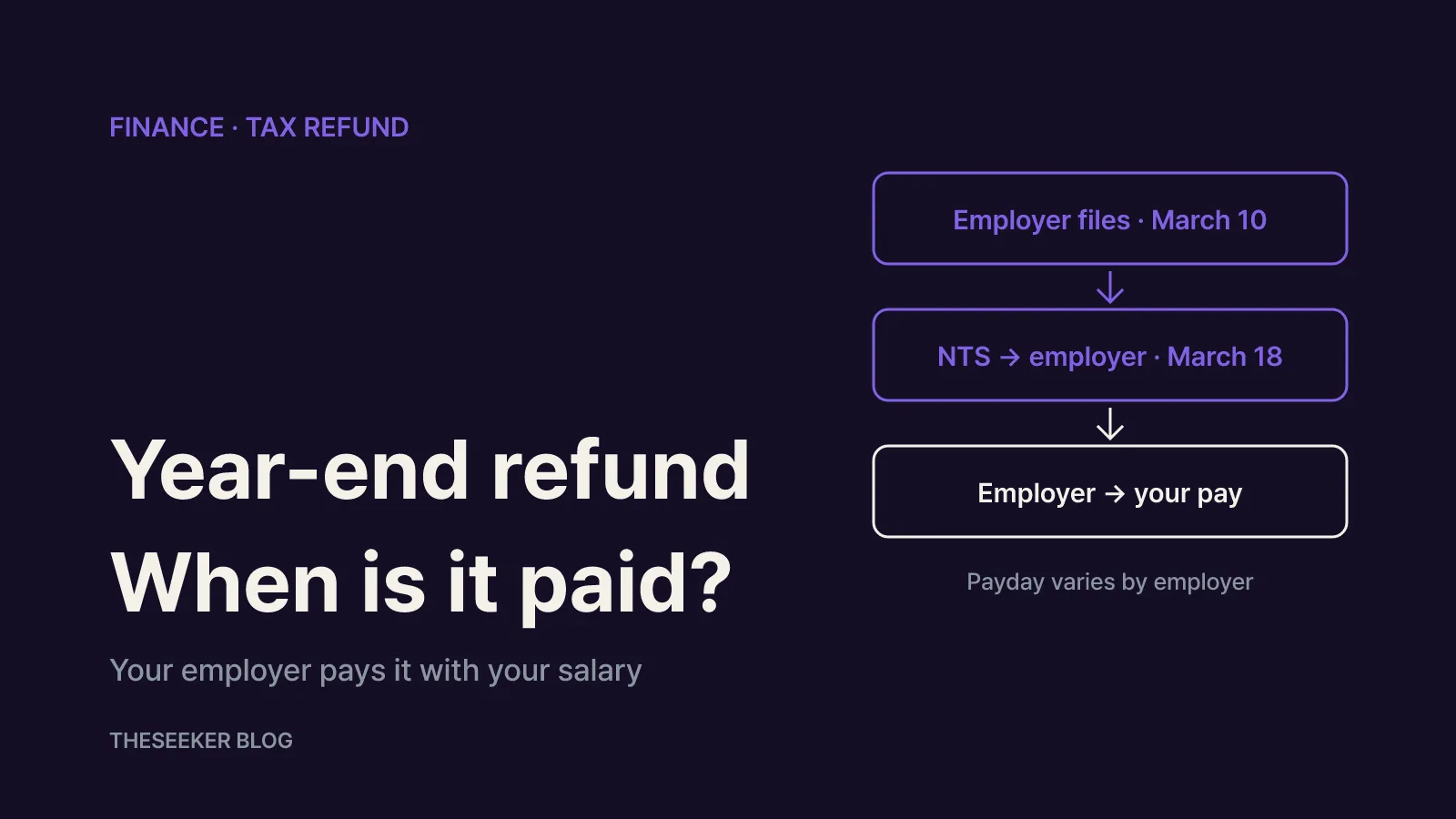
In this post
As of October 2026, the short answer is this: a Korean year-end tax settlement refund (yeonmal jeongsan) is paid by your employer, usually together with your salary, not deposited directly by the National Tax Service (NTS). That is why there is no single national payment date for employees. There is, however, a clear reference schedule. For the 2025 tax year, employers that filed by March 10 received their refunds from the NTS in a batch on March 18, 2026, while late or flagged filings were scheduled for individual payment by March 31 (NTS press release). You can see your own refund amount on Hometax or the Sontax mobile app once your employer has filed.
This guide walks through how the money flows, where to look it up, the order in which to investigate a missing refund, and what you can still do in the autumn if you missed a deduction.
Who pays the refund and when
Korea's year-end tax settlement is run by the employer, which acts as the withholding agent. Throughout the year your employer withholds income tax from each paycheck using a simplified table. At year-end it recalculates the tax you actually owe, including your deductions and credits, and compares the two. If too much was withheld, you get the difference back; if too little, you pay more.
According to the NTS year-end settlement overview, the legal deadline for the settlement is when the employer pays February wages of the following year, and the deadline for submitting the employment income payment statement is March 10 of the following year. This is why most employees first see the refund line on a February or March payslip.
The NTS explains that employers can fund the refund in three ways:
- Apply to the tax office for a refund, receive it from the NTS and then pass it on to staff.
- Skip the refund application and offset the amount against the tax they would otherwise remit from February wages.
- Pay employees in advance from their own cash.
Which route your company uses decides whether the money shows up with February, March or April pay.
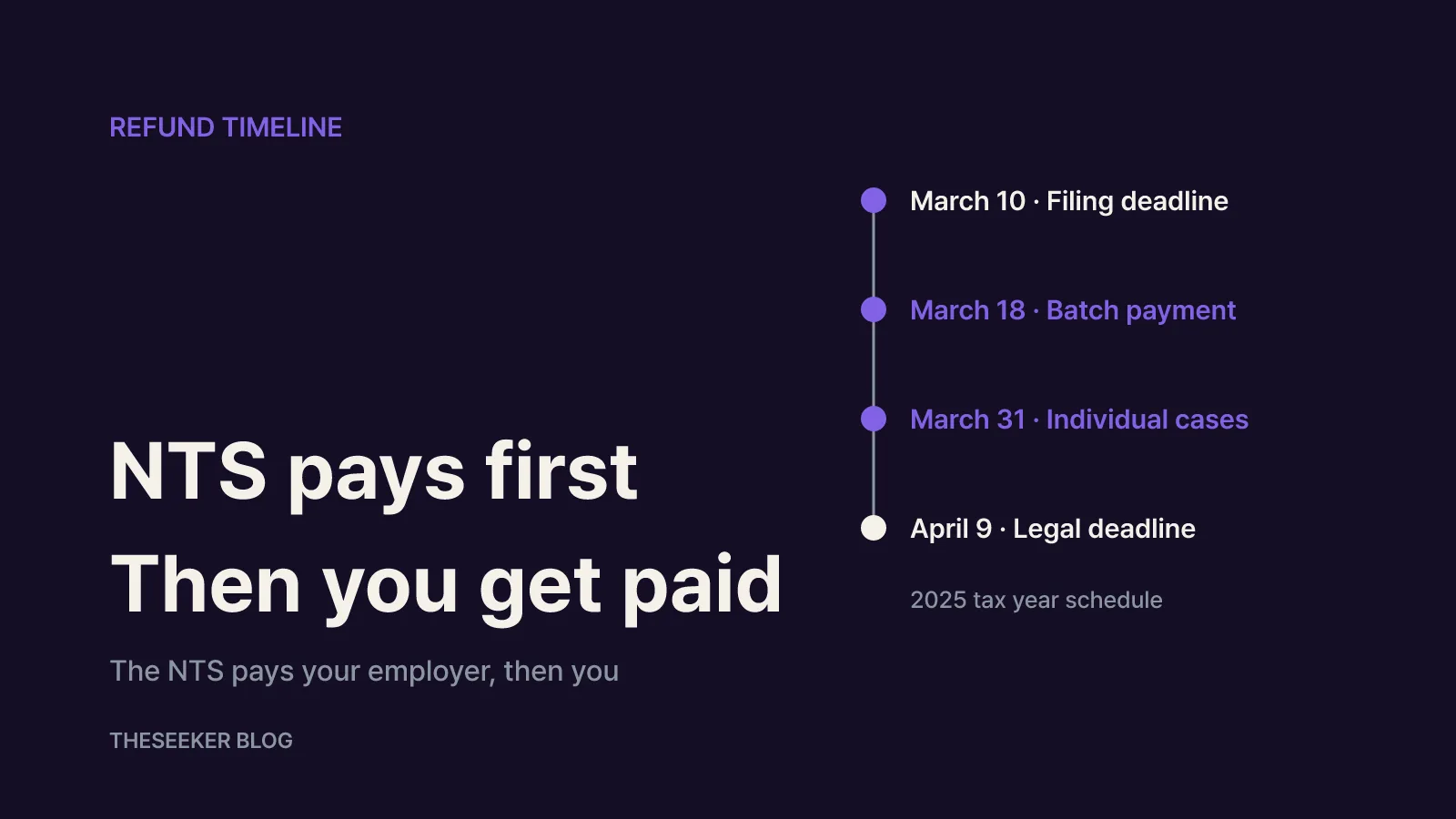
The 2026 timeline for the 2025 tax year looked like this:
- March 10: deadline for employers to file payment statements and the withholding return with a refund request
- March 18: batch payment from the NTS to employers that filed on time, 22 days ahead of the legal deadline
- March 31: target date for individual cases, such as late filers, filings under review, and direct claims from employees of bankrupt or closed businesses
- April 9: legal payment deadline
The government's Korea.kr policy briefing repeated the key caveat: the date an employee actually receives the money depends on each company's payment schedule. In other words, March 18 is when your employer gets paid, not when your bank account does. As of October 2026, the NTS has not yet announced the early payment schedule for the 2026 tax year (paid in 2027), so check its press releases again around February and March.
For scale, the NTS reported total year-end settlement refunds of KRW 1.9164 trillion for the 2024 tax year and KRW 1.8612 trillion for 2023.
How to check your refund on Hometax or Sontax
There are two documents that show your refund: the earned income withholding receipt your employer issues, and the payment statement visible on Hometax and Sontax. The statement only appears after your employer has filed it and its withholding return, so it may not show up before March 10.
The NTS lookup paths are:
- Hometax (PC): My Hometax → My income and year-end settlement → View payment statements
- Sontax (mobile app): MY Hometax → Year-end settlement simplified service and payment statements → View payment statement
Menu names are in Korean on the live site, so the translations above are descriptive. You can log in with a joint or financial certificate, simple authentication, or a mobile ID. The NTS call center FAQ notes that if you sign in with only a username and password, loading your settlement data is restricted until you complete an additional identity check.
Open the receipt for the relevant tax year. It shows your determined tax for the year, the tax already withheld, and the difference between them. A negative difference means a refund; a positive one means additional tax. Local income tax is shown separately from national income tax, so add the two before comparing with your payslip.
While you are there, check three things:
- No statement at all usually means your employer has not filed yet, or something went wrong with the filing. Expect a delay.
- An unexpected amount may point to a missing deduction document or a dependant claimed twice. If the employer's statement itself is wrong, you cannot fix it; the employer has to submit a corrected one.
- Your payslips from February to April will tell you whether the refund has already been paid inside your salary.
What to check if your refund is missing
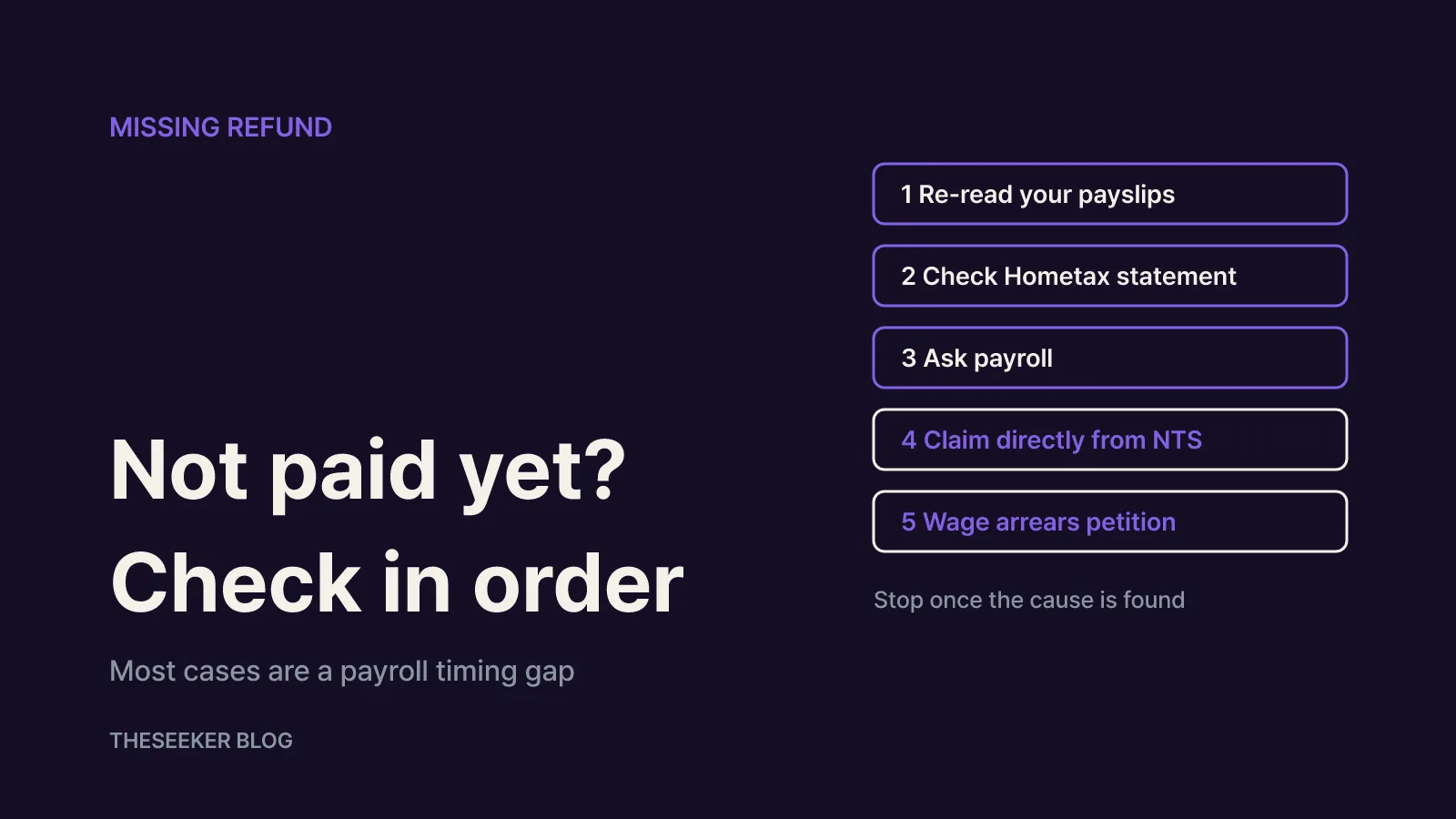
If April pay has come and gone with no refund, work through these steps in order. Stop as soon as one of them explains the gap.
Step 1: Re-read your payslips. The refund is often netted into salary rather than paid as a separate transfer. Look for year-end income tax and local income tax lines shown as negative amounts between February and April.
Step 2: Confirm the statement appears on Hometax. If it does not, your employer may not have filed the payment statement or the withholding return. The NTS says refunds may not be paid when these filings are missing and it cannot verify the refund claim.
Step 3: Ask payroll specific questions. Did the company apply for a refund or offset it against February withholding? When did it receive money from the NTS? Which payroll will include it? If the company owes unpaid withholding tax, the refund can be applied to that debt first and never reach you.
Step 4: If the company is bankrupt, closed or not paying wages, claim directly. The NTS lets affected employees apply on Hometax or in writing at the local tax office. On Hometax, go to Certificates, registration and applications → Civil petition documents, search for the Korean word for bankruptcy (부도), and choose the year-end settlement refund application for employees of bankrupt or closed businesses. In 2026, applications filed by March 23 were scheduled for direct payment by March 31. You qualify only if the employer filed its settlement return and payment statements and paid its monthly withholding tax without arrears, but cannot realistically pay you because of bankruptcy, closure or wage arrears.
Step 5: If a functioning company still refuses to pay, consider a wage arrears petition. According to the NTS, an unpaid year-end refund can be raised with the Ministry of Employment and Labor as a wage arrears complaint through its labor portal. If you have already left the company, you can file from 15 days after your last day.
Most cases are resolved at steps 1 to 3 and turn out to be a timing difference in the employer's payroll.
Checking in October: missed deductions and mid-year leavers
If you are searching for your refund long after the season, the employer's refund should already have been paid. The real question is often whether you missed a deduction and are owed more.
The NTS describes two ways to recover missed deductions. The first is the May comprehensive income tax filing, where the employee filing form loads your employer's settlement and lets you add what was left out. The second, after May has passed, is a correction claim (gyeongjeong cheonggu). If your employer paid the settlement tax and filed the payment statement on time, you can file within five years from the statutory filing deadline of May 31 of the following year. Hometax pre-fills the claim from the employer's statement and calculates the expected refund once you add the missing items.
Before filing, check the determined tax on your withholding receipt. The NTS call center explains that you can only get money back if some determined tax remains. If it is already zero, extra deductions will not produce a refund.
If you left a job mid-year and never completed a settlement, the same route applies. The NTS FAQ says the 2025 tax-year correction claim service for employees who missed the May filing was due to open around July 2026. If Hometax says no employment income record exists, your former employer has not filed your payment statement, and you need to ask them to do so first.
Over-claiming works the other way: if you took deductions you were not entitled to, you will owe the extra tax plus penalties, so it is worth confirming that dependants were not claimed twice within the family.
Quick checklist
- Your employer pays the refund, usually with salary. Ask payroll for the exact date.
- For the 2025 tax year, the NTS paid employers on March 18 (batch) or by March 31 (individual), with a legal deadline of April 9.
- See the amount on Hometax under the payment statement lookup, or in Sontax.
- No statement on Hometax means you should first confirm that your employer filed.
- Employees of bankrupt or closed companies can claim directly from the NTS; unpaid refunds from an operating company can go to the labor ministry.
- Missed deductions can be added in the May filing or by a correction claim within five years.
Sources
Frequently asked questions
Does the National Tax Service deposit my year-end refund directly?
Usually not. Your employer, as the withholding agent, pays the refund with your salary. The NTS pays the employer. The exception is when the employer is bankrupt, closed or behind on wages and you meet the conditions, in which case the NTS can pay you directly.
When will my year-end tax refund be paid?
It depends on your employer. For the 2025 tax year, employers that filed by March 10 received the money on March 18, and individual cases were scheduled by March 31. Your own payment typically follows on the next payday or another date your company sets. Some employers settle it in February pay.
Why can't I see my payment statement on Hometax?
Most likely your employer has not filed the payment statement or withholding return yet. The deadline is March 10. If it still does not appear after that, ask payroll whether it was filed, because a missing statement can delay or block the refund and prevents a correction claim.
What can I do if my employer will not pay the refund?
If the company is bankrupt, closed or in wage arrears, apply to the NTS for direct payment through the Hometax application for employees of bankrupt or closed businesses. If the company is operating normally, you can file a wage arrears petition with the Ministry of Employment and Labor; former employees can file from 15 days after leaving.
Can I still claim a deduction I missed in the settlement?
Yes. After the May filing period, use the employee correction claim on Hometax. If your employer filed on time, you have five years from the statutory filing deadline. If the determined tax on your receipt is already zero, there is no tax left to refund.
blog.theseeker.io/en/posts/year-end-tax-refund-check-payment-date-korea
Ethan Caldwell
Ethan covers the basics of managing money, from saving and credit to taxes, checking rates and terms against official guidance from banks and government agencies.
Read our editorial standards