How to Find Korean Government Benefits You Qualify For
Searching for Bojo-geum 24? Korea's benefit lookup now runs as Hyetaek Allimi (Benefit Alert) on Gov24. Here is the order of steps, what the results mean and how to add family.
 Nathan Brooks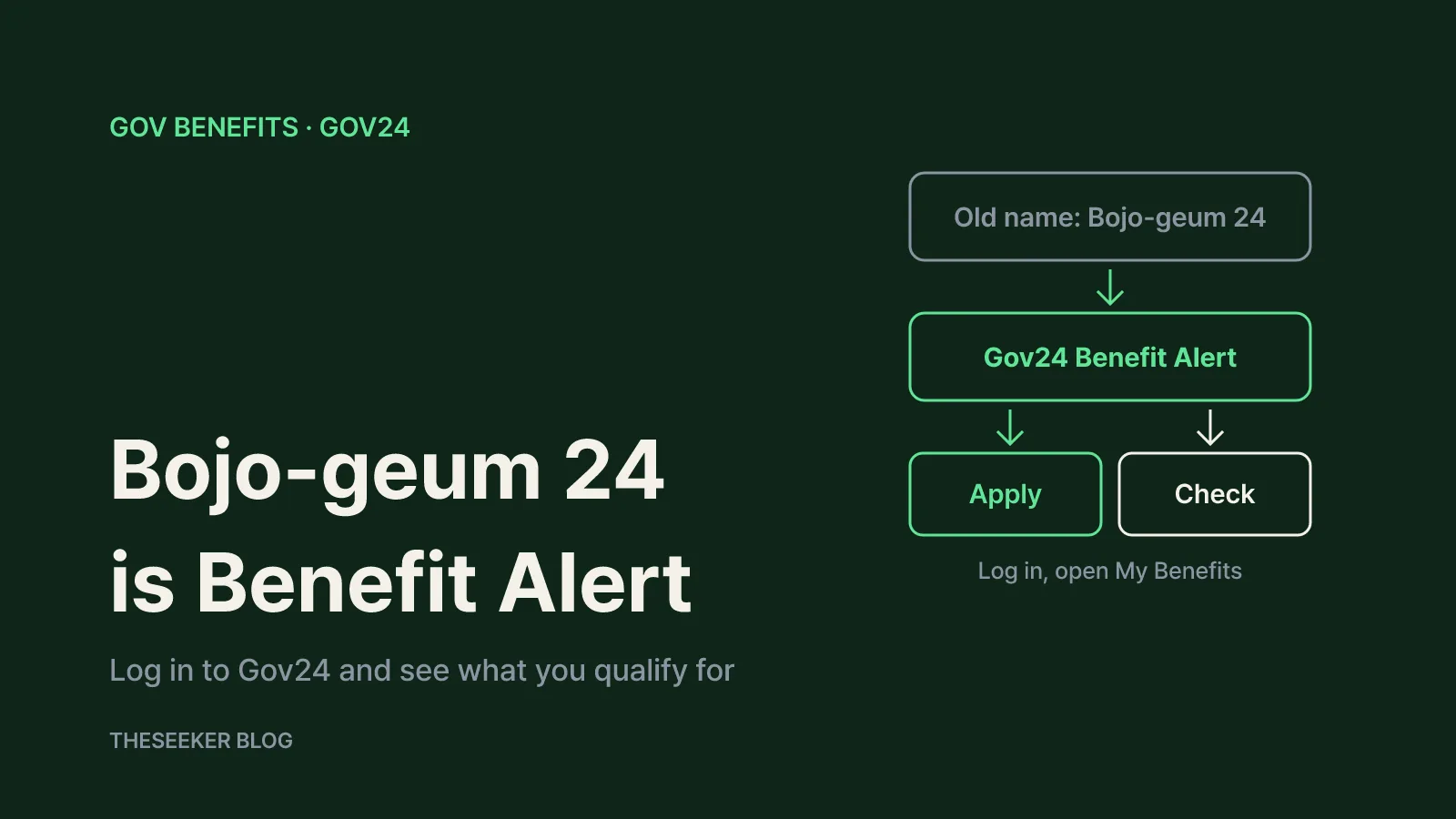
In this post
- Bojo-geum 24 now lives inside Gov24's Benefit Alert service
- Step-by-step: checking your benefits on Gov24
- How to read the results: Apply vs. Check
- Adding family members to see their benefits
- Quick Search and All Benefits without logging in
- Limits, privacy and scams to watch for
- Sources
- Frequently asked questions
As of October 2026, the personalized subsidy lookup that Koreans knew as Bojo-geum 24 (literally Subsidy 24) runs under the name Hyetaek Allimi (Benefit Alert) on Gov24, the South Korean government's main public services portal. You log in to Gov24, agree to the Benefit Alert terms, review the eligibility conditions the system pulls from government records, and open My Benefits. Programs from central ministries, local governments and public agencies then appear in two groups: Apply (you can apply now) and Check (you need to confirm a condition). With your relatives' consent, you can see their benefits too. This guide walks through each step, explains how to read the results, and covers the limits and scams worth knowing about.
Bojo-geum 24 now lives inside Gov24's Benefit Alert service
Gov24's menu no longer shows a Bojo-geum 24 entry. When I checked in October 2026, the top-level menu listed Hyetaek Allimi instead, and the old Bojo-geum 24 how-to address opened the Benefit Alert home screen. So if a guide or video tells you to open Bojo-geum 24, look for Benefit Alert on Gov24.
The Gov24 overview page describes Benefit Alert as a personalized service that uses administrative data on your circumstances and eligibility to tell you which government support you can receive. After a one-time sign-up, matching benefits are pushed to you as Apply or Check notices, without having to search for them yourself.
The scope has expanded. According to a Ministry of the Interior and Safety announcement, the service first covered about 1,500 public services in four areas: youth, job seeking, pregnancy and moving house. From December 10, 2025, it began covering roughly 6,000 services across all areas. A Korea.kr policy reporter article notes that Benefit Alert first launched on January 10, 2025. The ministry said 930,000 people signed up during the pilot, and the service sent more than 6.5 million notices about public services.
The Benefit Alert menu has six parts: My Benefits, Interests, Discover, Quick Search, All Benefits and Settings, where you manage family registration and matching conditions. For a first lookup, My Benefits and Settings are all you need.
Step-by-step: checking your benefits on Gov24
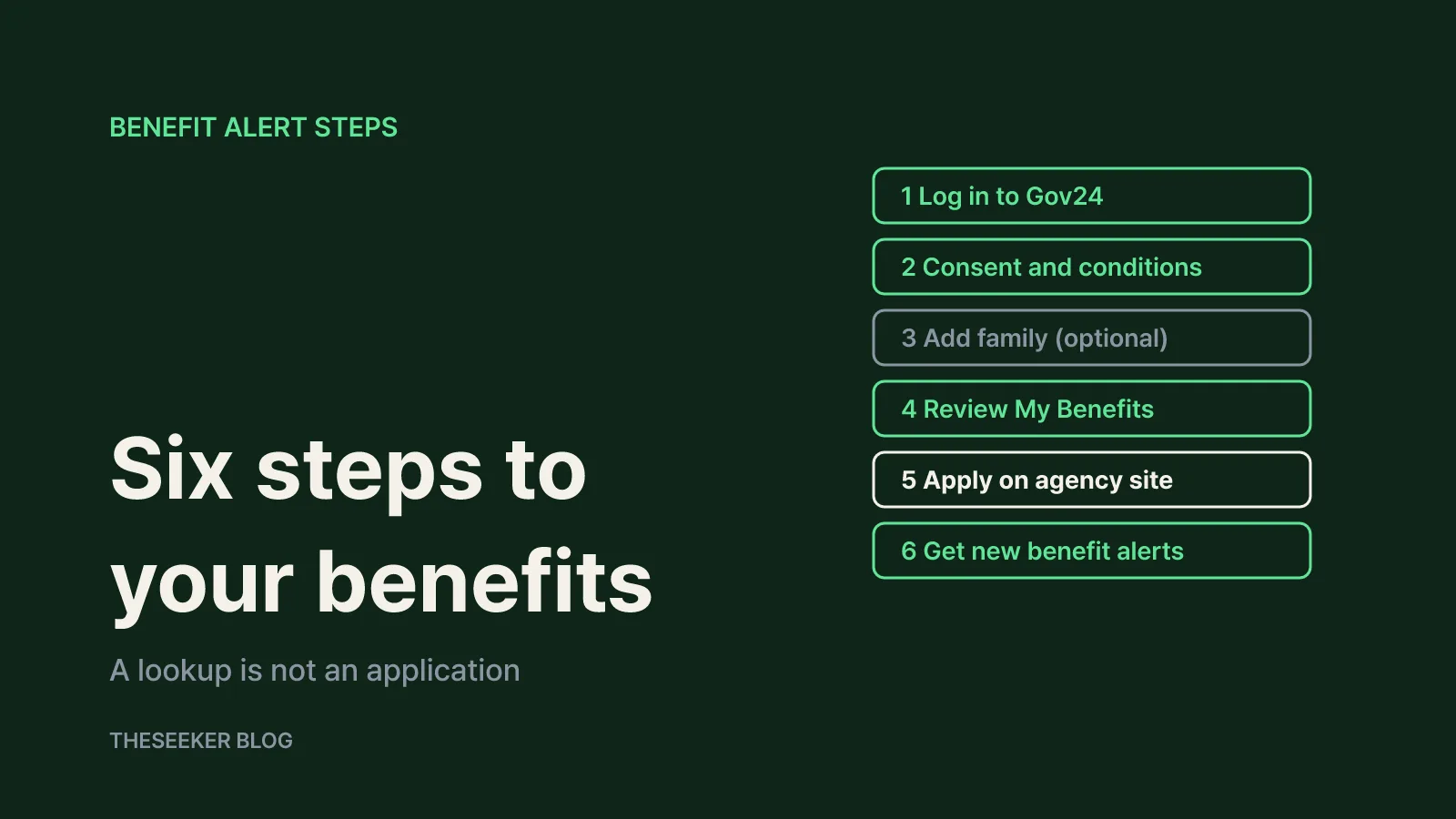
The Gov24 site guide lays out six steps for the proactive benefit alert service. Below are those steps, with what to look out for at each stage.
- Log in to Gov24. Use simple authentication (a private e-signature app on your phone), a mobile ID, or a joint or financial certificate. Personalized lookups connect to your administrative records, so you need a Gov24 account. The guide notes that simple-authentication login works only with a resident registration number, not a business registration number. In the mobile app, setting a quick PIN after a verified login reduces repeat authentication when you use Benefit Alert.
- Agree to the terms and set your conditions. Benefit Alert requires consent before it can send personalized notices. You can review that consent later under MyGOV, then My Information, then Service Consent (Benefit Alert). The system fills in age, place of residence and income from government records, and you add anything the records cannot show. If an auto-filled value looks wrong, results may be off, so review this screen once.
- Register family (optional). Add relatives and send them a request to share their information. Details are in the family section below.
- Review the automatic recommendations. My Benefits lists only the programs you appear to qualify for, split into Apply and Check.
- Go and apply. Each benefit links to the agency or website that handles it. The guide reminds users to apply before the deadline. A lookup is not an application: you still have to complete each program's process.
- Turn on proactive alerts. When a new benefit matches you, you get a notice through the app you chose in Gukmin Biseo (the government's National Secretary notification service) or by text message.
How to read the results: Apply vs. Check
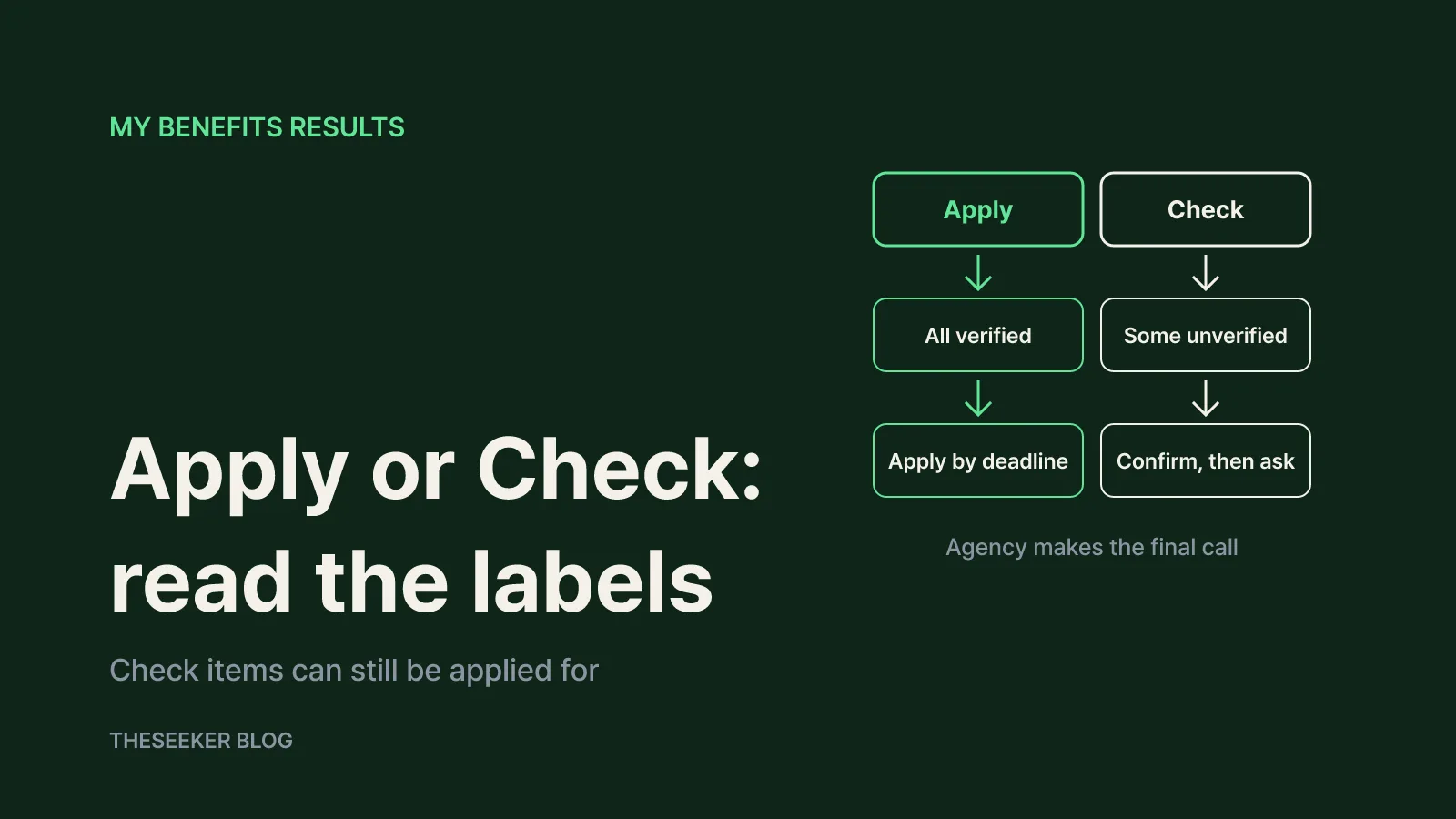
The two labels cause the most confusion. Based on Gov24's explanation quoted in the Korea.kr article:
- Apply (sincheonghaseyo) means government records confirm your situation and eligibility, so you can apply straight away.
- Check (hwakinhaseyo) means some of your information could not be verified through records, so you need to confirm that you meet the conditions.
For Apply items, start with the application window. Some programs accept applications year-round; others open only for a fixed period. Handle the ones closing soonest first.
A Check item is not a rejection. It means a condition remains that records alone cannot settle. Open the detail page, read the target group and selection criteria, and note which condition is unconfirmed. According to the same article, detail pages show the target group, application period and method, required documents, and the website where you submit. If a condition is unclear, the contact listed on the detail page or the receiving agency can tell you whether you can apply.
A simple tracking table helps: benefit name, agency, label, deadline, documents and open questions. If two programs serve the same purpose, check the detail page for rules against receiving both.
Adding family members to see their benefits
Family lookups are one of the service's most useful features. Once you add a relative and they consent, you can see their benefits and application timing from your own screen, even if they never use the service themselves. This is handy for parents who are less comfortable with phone authentication.
Eligible relatives are defined. The Korea.kr article lists members of the same household on the resident registration, or a spouse, lineal ascendants (parents, grandparents) and lineal descendants (children, grandchildren) on the family relations register. They do not have to live with you, but friends and unrelated housemates are not eligible.
The relative also has to act. Per the Gov24 guide:
- A consent request arrives through the KakaoTalk account or text number registered with Gukmin Biseo.
- They log in to Gov24 with simple authentication or a mobile ID, signing up first if needed.
- On the Benefit Alert screen, they choose Give My Info, review the terms and agree to share.
Keep in mind that the family grouping used for these lookups may differ from how an individual program defines a household. For household-based support, confirm the program's own rules on the detail page.
Quick Search and All Benefits without logging in
If you only want to browse first, two menus work without an account. The Gov24 overview says Quick Search shows benefits matching your situation after you answer a few questions, with no login. You pick your region, income band and personal or household traits, so results reflect your answers rather than verified records. The screen shows a standard median income table by household size to help you choose a band.
All Benefits lets you browse more than 10,000 public services offered by central ministries, local governments and public agencies. You can search by keyword, such as youth, childbirth or small business. It is a full catalog, not an eligibility check, so read each program's conditions yourself.
In short, Quick Search and All Benefits show what exists; the logged-in My Benefits view filters by your actual records. Browse first if you like, then confirm with a logged-in lookup before applying.
Limits, privacy and scams to watch for
Results are guidance, not a decision. The agency running each program decides after reviewing your application and documents. Even an Apply item can fall through if the window has closed or funding runs out.
Records lag behind life. A recent move or job change, or household circumstances that are not registered with any agency, may not be reflected. Enter what you can in your conditions and review Check items and All Benefits as well.
Beware of look-alike apps. The Ministry of the Interior and Safety warned that neither the government nor partner companies run a standalone Benefit Alert app or website, and urged caution about phishing using that name. As of the December 2025 announcement, you could sign up through Gov24 and the apps of IBK, Shinhan Bank, Hana Bank, Woori Bank and Wello, with NongHyup Bank planned that month and KakaoBank and Samsung Card planned for 2026. Rather than tapping links in text messages, open Gov24 or your bank's official app directly.
Getting help. The Gov24 call center is 1588-2188 (weekdays 9:00 to 18:00); extension 3 covers Benefit Alert questions. The government civil service line 110 runs 24 hours a day, including holidays. For questions about a specific program's eligibility or documents, the agency contact on its detail page is the better source.
The short version: log in to Gov24, agree to the Benefit Alert terms, check your conditions, apply for Apply items by deadline, confirm Check items, add family with their consent, and switch on alerts so new benefits reach you when your situation changes.
Sources
Frequently asked questions
Does Bojo-geum 24 still exist?
As of October 2026, Gov24's menu shows Hyetaek Allimi (Benefit Alert) instead, and the old Bojo-geum 24 guide address opens the Benefit Alert home. Log in to Gov24 and go to Benefit Alert, then My Benefits.
What is the difference between Apply and Check results?
Apply means government records confirm your eligibility, so you can apply now. Check means some information could not be verified, so you need to confirm the conditions yourself. You can still apply for a Check item if you meet them.
Can I look up benefits for my parents?
Yes, if they are in your registered household or are your spouse, parents, grandparents, children or grandchildren on the family register. They must receive the consent request, log in to Gov24 and agree to share under Give My Info.
Can I search without a Gov24 account?
Quick Search works without logging in: choose your region, income band and household traits. It does not verify records, so confirm the details or run a logged-in lookup before applying.
Does appearing in the results mean I will receive the money?
No. The lookup only points you to programs. You must complete each program's application, and the receiving agency makes the final decision based on deadlines, funding and documents.
I got a text asking me to install a Benefit Alert app. Is it real?
The Ministry of the Interior and Safety says there is no standalone Benefit Alert app or website. Do not tap the link; open Gov24 or your bank's official app directly instead.
blog.theseeker.io/en/posts/bojogeum24-gov24-benefit-alert-lookup-guide
Nathan Brooks
Nathan covers eligibility, application steps and deadlines for public support programs, working from government notices and starting with who qualifies.
Read our editorial standards