Upcoming Movies in Korea: Release Dates and Ticket Alerts
Use the Korean Film Council's KOBIS release schedule to see what opens each week, then confirm showtimes and ticket openings in the CGV, Megabox and Lotte Cinema apps.
 Isabel Turner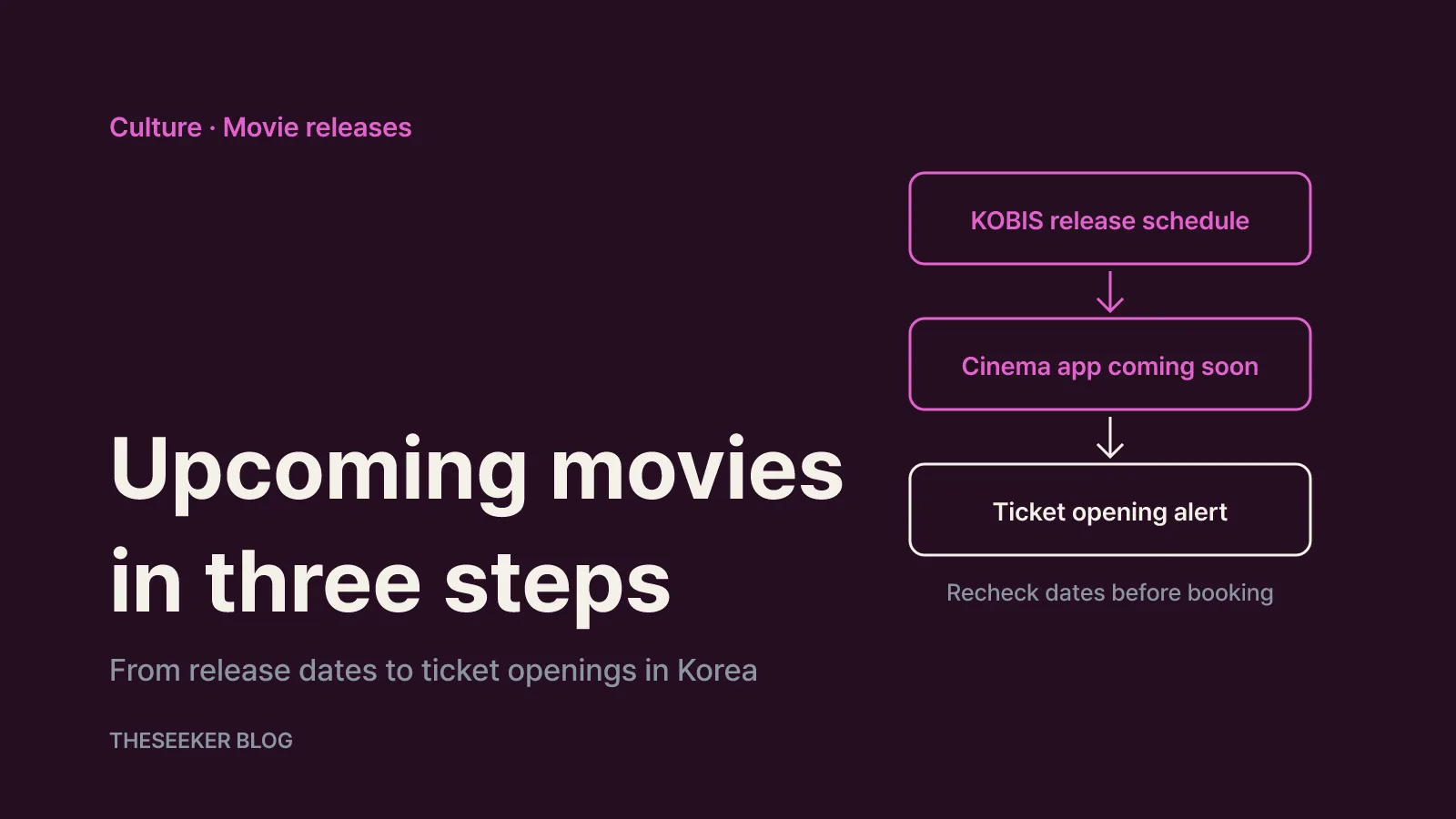
In this post
As of October 2026, the most reliable way to track upcoming movie releases in Korea is a three-step routine. Start with the KOBIS release schedule run by the Korean Film Council (KOFIC) to see which films are slated to open each week nationwide. Then check the coming-soon section of the CGV, Megabox or Lotte Cinema app to confirm whether your local branch and preferred format are actually showing it. Finally, save the titles you care about and turn on app notifications so you hear when tickets go on sale. Release dates in Korea can move, so this guide does not promise dates for specific films. Instead, it shows you where to check them yourself and how to read what you find.
Why you should cross-check more than one source
Information about upcoming releases in Korea comes from three places. The first is KOBIS, the Korean Film Council's integrated box office and ticketing network. Its release schedule page describes itself as providing opening schedules for films that are showing or scheduled to show in cinemas across the country. Because it collects data from theaters nationwide rather than a single chain, it is the broadest list you can get for free.
The second source is the multiplex chains themselves: CGV, Megabox and Lotte Cinema. Their websites and apps tell you which branch, which auditorium and which time slot you can actually book. That makes them essential at the last step, but each chain only lists what it programs, and showtimes for the same film can appear at different branches at different times.
The third source is the distributor or the film's official channels. Date changes and decisions about premium formats are often announced there first. For most moviegoers, KOBIS and the cinema apps do the heavy lifting, and distributor announcements are useful mainly for understanding why a date moved.
If you only check one of these, it is easy to miss things. A film may be on the national schedule but not at your neighborhood cinema, or it may be on sale at a rival chain while your usual app shows nothing.
Reading the KOBIS release schedule week by week
The KOBIS site is in Korean, so your browser's translate feature helps. The release schedule sits under the movie information search menu, labeled 개봉스케줄 (release schedule). Films are grouped by week, for example "October 2026, week 1 (October 1–3)", and each entry shows the genre, country of production, production year and opening date. To look further ahead, such as November releases, page forward through the weekly groups. Buttons at the top let you switch to the previous or next year.
Above the list are tabs for all films, Korean films, foreign films and a code lookup for upcoming titles. If you want only Korean releases, use the Korean films tab; for Hollywood, Japanese or European titles, use the foreign films tab. A second toggle separates all films from independent and art-house films, which is handy if you follow smaller releases that rarely get big marketing pushes. You can also change how many entries appear per page, including 12, 50 or 100, which makes scanning a whole month quicker.
Two caveats matter. First, the list shows films whose opening date has been registered, so titles without a confirmed date may be missing. Second, the date shown is the plan at the time of registration. If distribution plans change, the date on the list changes too, so recheck it shortly before you book.
KOBIS also uses standard genre labels such as 공포(호러) for horror, 애니메이션 for animation and 미스터리 for mystery. Scanning those labels alongside the country column is much faster than judging films by their posters.
Using the coming-soon lists in cinema apps
Once you have a shortlist, move to the app of the chain you actually visit. On the web, Megabox's all movies page splits films into tabs including box office, coming soon (상영예정작), MEGA ONLY, Film Society and Classic Society. The coming-soon tab can be sorted by opening date or alphabetically, and the page prompts signed-in users to register preferred genres. Logged-in users also get a notification inbox, which the page says shows only the last 30 days of alerts.
CGV and Lotte Cinema also keep separate upcoming-release lists inside their movie menus, but their websites change often and can behave differently depending on how you connect. While researching this guide, the CGV website returned an access-restriction page, and Lotte Cinema's list loads through scripts rather than plain text. Rather than memorizing menu names, look for a tab containing 상영예정 or 개봉예정 inside the movie menu, or simply type the film's Korean title into the app's search box.
In any cinema app, confirm three things: that your branch has the film scheduled, that your preferred format such as IMAX, 4DX or Dolby Cinema has its own showtimes open, and that opening-day showtimes are actually bookable. Appearing on a coming-soon list does not mean tickets are on sale yet.
If you plan to go as a group, note that Megabox says online bookings through its website and app are limited to eight tickets per payment, and larger groups should contact customer service or the branch.
Filtering by genre and country
Here is how to handle the most common searches:
- Next month's releases: page through the relevant weeks on the KOBIS release schedule. Weekly grouping makes weekend planning easy.
- Horror movies: look for the 공포(호러) label. Some horror titles are also tagged as thrillers, so read the whole genre field.
- Korean films: use the Korean films tab on KOBIS.
- Japanese films: use the foreign films tab and check the country column. Japanese animated features are labeled as animation, so combine genre and country.
- Marvel and other franchise films: these cannot be filtered by genre or country. Search the Korean title on KOBIS and in the cinema apps, and check the Korean distributor's announcements, since Korean release dates can differ from US dates.
- Independent and art-house films: use the KOBIS independent and art-house toggle for dates, then confirm which branches are showing them. At Megabox, also check the Film Society and Classic Society tabs.
A simple four-column note works well: date, title, genre, and preferred cinema or format. When a date moves, you can see at a glance what to recheck.
Setting up ticket opening alerts
Ticket sales can open at different times depending on the chain, branch and auditorium, so there is no single weekly opening time to rely on. Combine notifications with a light checking routine.
- Allow notifications on your phone. Saving a film inside an app does nothing if system notifications for that app are turned off.
- Use favorites or alert buttons. If a film's detail page offers a favorite or notification button, turn it on. Names and availability differ by chain, membership tier and app version. Korean film communities often mention ticket opening alerts as a perk for CGV's higher membership tiers, but check the membership benefits page in the app to see what your own account includes.
- Use KOBIS real-time booking share as a signal. Details below.
- Check at set times. Looking in the morning, at lunch and in the evening is less tiring than constant refreshing and keeps you ready to decide quickly.
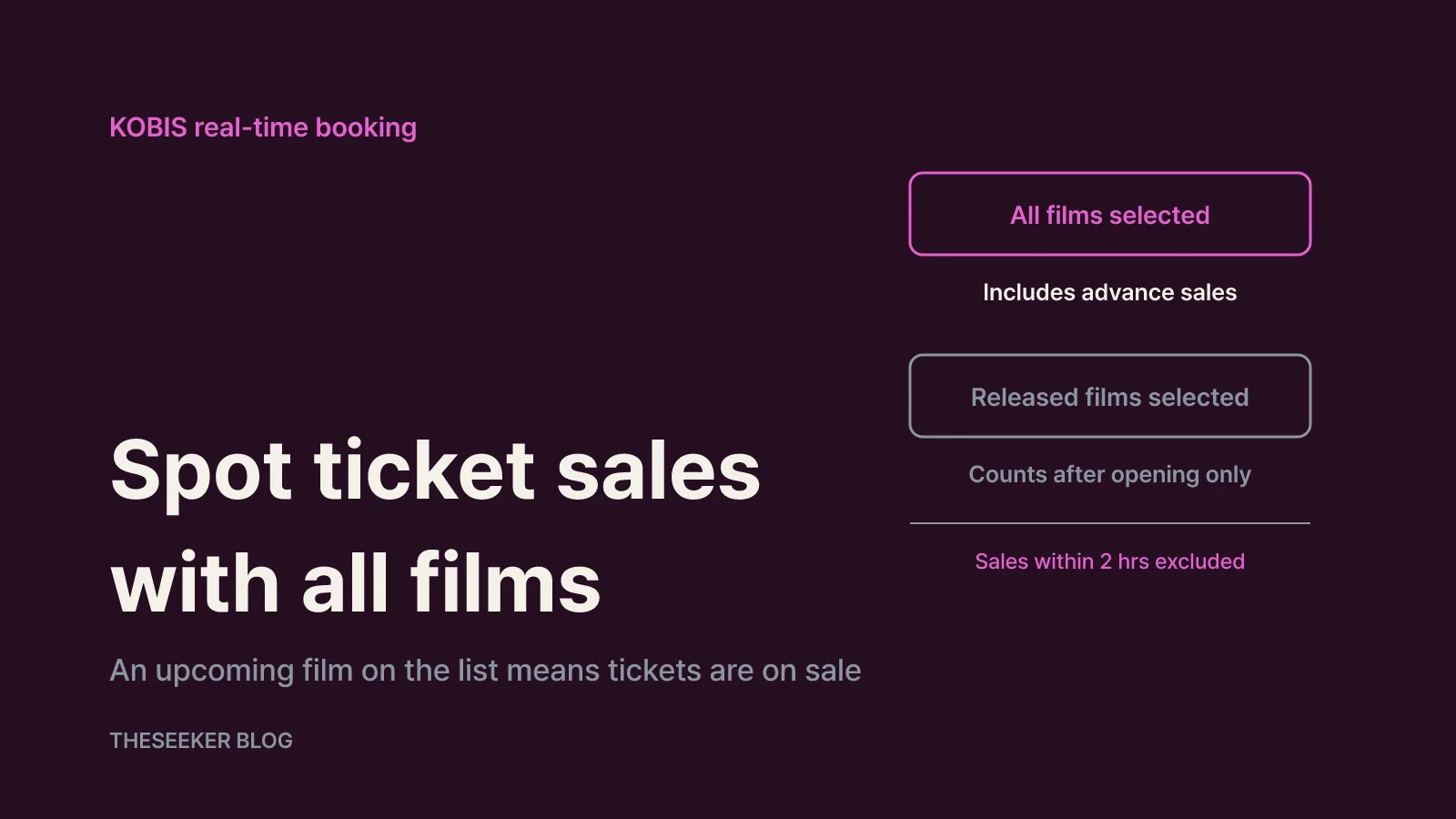
The KOBIS real-time booking page aggregates advance bookings for showings more than two hours after the time you check. A film's booking share is its advance ticket count divided by the total for all films, multiplied by 100, and tickets issued within two hours of showtime are excluded. The key setting is the film category. Choosing all films covers everything on sale, while choosing released films counts only bookings after each film's opening date. To spot upcoming releases with tickets already on sale, leave it on all films.
When a film you are waiting for appears in that list, tickets are being sold somewhere, so open your cinema app and check your branch and format. Nationality and region filters let you narrow results to where you live. Because the share changes constantly, treat a film's appearance as the signal rather than its exact rank.
Unofficial Discord or Telegram alert bots also exist. They are not run by the cinemas and can stop working when a site changes. Avoid any service that asks for your cinema account ID or password.
When release dates change: a final checklist
Opening dates can move earlier or later because of distribution plans, screen allocation or premium-format scheduling. If a date looks different, compare the KOBIS release schedule with the film's page in your cinema app, and check the distributor for the reason. If a showing you already booked is affected, look at your booking history and the cinema's notices first, then follow that cinema's customer service guidance.
Before you book, run through this list:
- Have you rechecked the opening date on the KOBIS release schedule?
- Are showtimes open at your branch and in your preferred format?
- Are you viewing KOBIS real-time booking share with all films selected?
- Are notifications allowed for your cinema app?
- Have you settled your payment method, group size and any discounts?
Tracking upcoming movies is not a one-time task. Use the national schedule for the big picture and the cinema apps for actual seats, and you will rarely miss an opening you care about.
Sources
Frequently asked questions
Where can I find the most complete list of upcoming movies in Korea?
The Korean Film Council's KOBIS release schedule lists films slated to open in cinemas nationwide, grouped by week. Branch showtimes are only in the CGV, Megabox and Lotte Cinema apps, so use both.
Why can't I book a film that appears on a coming-soon list?
Being listed and having showtimes open are separate steps. Showtimes may appear at different times for each branch and format, so check whether your branch's dates are bookable on the film's detail page.
Is the KOBIS site available in English?
The release schedule pages are in Korean. A browser translation feature makes the menus readable, and genre labels such as 공포(호러) for horror are easy to search for once you know them.
Why don't upcoming releases show up on the KOBIS real-time booking page?
If the film category is set to released films, only bookings after each film's opening date are counted. Switch to all films to include advance sales for upcoming titles.
blog.theseeker.io/en/posts/check-upcoming-movie-releases-korea-ticket-alerts
Isabel Turner
Isabel covers books, films, series, exhibitions and things to do, confirming release dates and how to watch or attend through official listings.
Read our editorial standards