How to Check Your Health Checkup Results in Korea
Where to find your national health screening results, eligibility and test items in Korea's NHIS app and website, plus what to check when results do not appear.
 Sophia Reed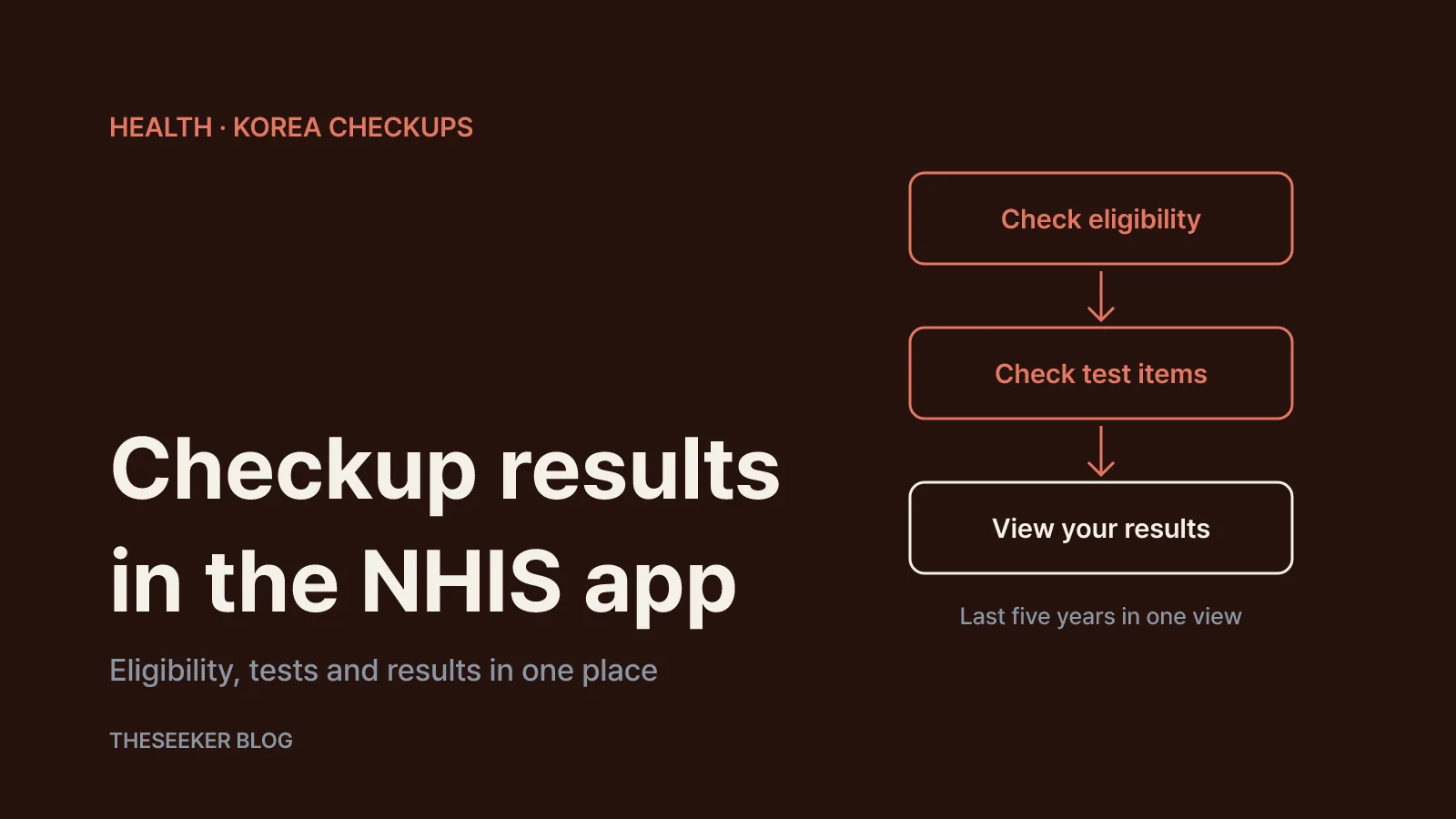
In this post
As of October 2026, if you are covered by Korea's National Health Insurance, you can view your national health screening results in the National Health Insurance Service (NHIS) mobile app, listed on Google Play as 건강보험25시 (some store pages and the NHIS website footer also show the name 'The건강보험'), or on the NHIS website under 건강모아 (Health) → 나의 건강 (My health) → 건강검진 결과조회 (Checkup result lookup) after identity verification. The same menu group also lets you check whether you are due for a checkup this year and which tests apply to you. Korea's disease control agency, the KDCA, confirms in its national health portal guide that eligibility, screening centres and results can all be looked up on the NHIS website and app.
This guide covers where to look, not how to interpret your numbers. Whether a value needs follow-up is a question for the doctor who reviews your result notice. Everything below is taken from public NHIS and KDCA pages I read directly; menu names are given in Korean because that is what you will see on screen.
Step-by-step: viewing checkup results in the NHIS app
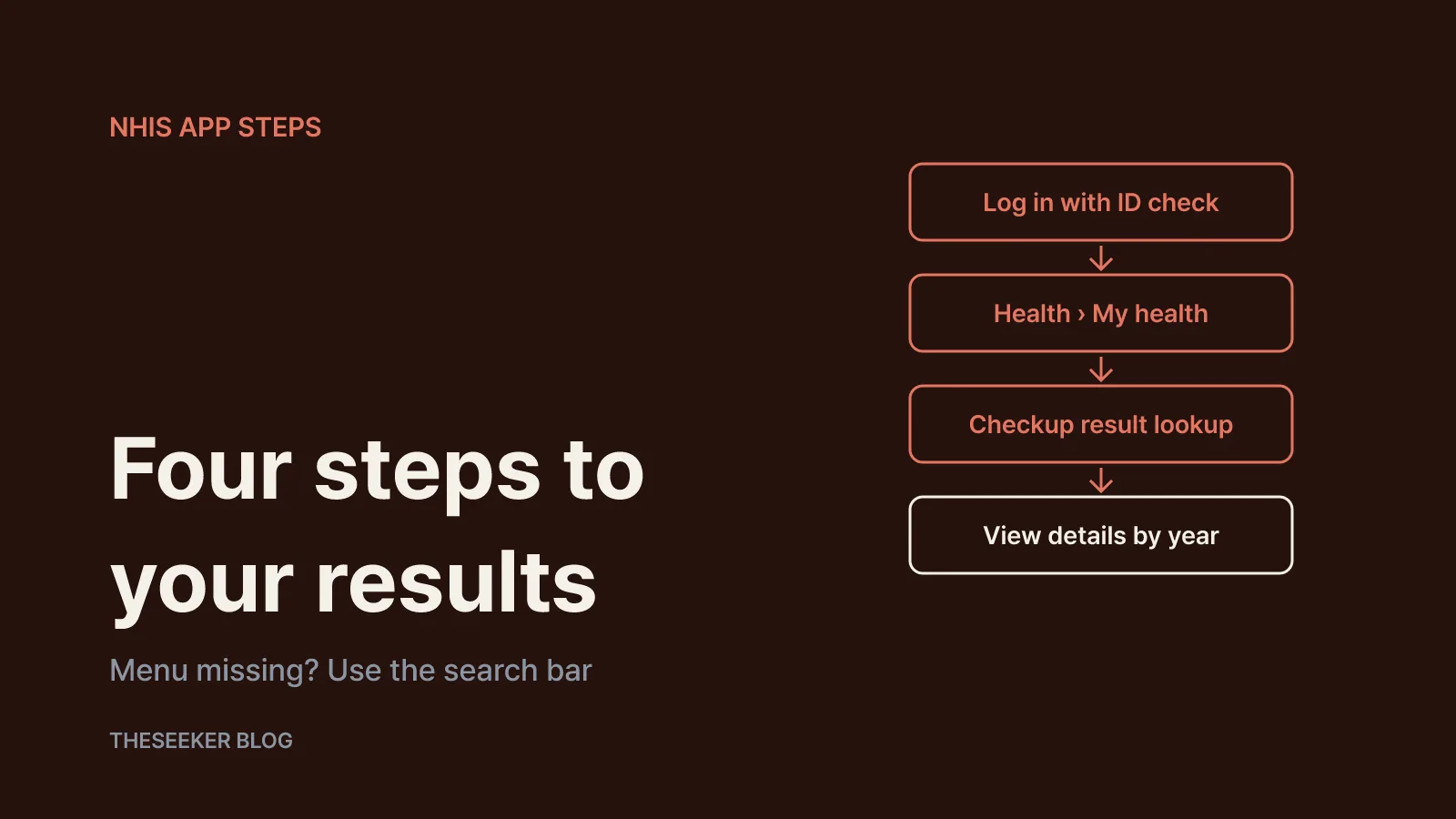
According to its store listing, the app supports login with a one-time identity check such as an NHIS certificate or a simple authentication service, and it does not run on rooted or jailbroken phones. App support is available at 1577-1000 on weekdays from 9 a.m. to 6 p.m.
- Open the app and log in with an NHIS certificate or simple authentication.
- Go to 건강모아 → 나의 건강, or type 검진결과 (checkup results) into the search bar. The store listing notes that the redesigned app puts the search bar and frequently used services on the home screen, so searching is often faster than browsing.
- Tap 건강검진 결과조회 to see your checkups by year.
- Open 상세보기 (view details) for the full figures from a given year.
The website mirrors this structure. On the NHIS general checkup page, the 나의 건강 menu lists the checkup roadmap, checkup guidance, eligibility lookup, result lookup, checkup information list, private checkup entry and comparison, and checkup applications. The NHIS online service guide explains that the 검진결과 한번에보기 (view all results) button shows your results from the most recent five years in one place, which is handy for spotting trends.
Menu labels can change with app updates. If you cannot find an item, use the search bar or open the NHIS website in a browser. Children's records sit elsewhere: infant and student checkup results are under 건강모아 → 자녀 건강 (Child health).
Checking whether you are due for a checkup this year
Per the NHIS page, general health checkups cover regional household heads, employee subscribers, household members and dependants aged 20 or older, and medical aid recipients aged 20 to 64. The checkup is offered once every two years, and every year for non-office workers. The KDCA adds that people born in even-numbered years are usually eligible in even years, and those born in odd years in odd years.
Use 검진대상 조회 (eligibility lookup) to confirm. Checkup notices are sent as electronic documents, and by post to your registered address only if the electronic notice is not opened. For employee subscribers who are only due for the general checkup, eligibility is communicated through the workplace, so it is worth checking with your HR team.
Lost your notice? You can request a new one at 1577-1000 or a local NHIS branch, or print an eligibility confirmation from the eligibility lookup menu after verification. The NHIS also states that screening centres can confirm eligibility from an ID card, driver's licence or passport. The screening year runs from 1 January to 31 December. If you missed last year's checkup, the 전년도 미수검자 추가신청 (missed checkup add-on request) lets you be added to this year's list, through the website, the app or the NHIS visual ARS line at 1577-1000, according to the KDCA.
Common tests and age- and sex-specific items
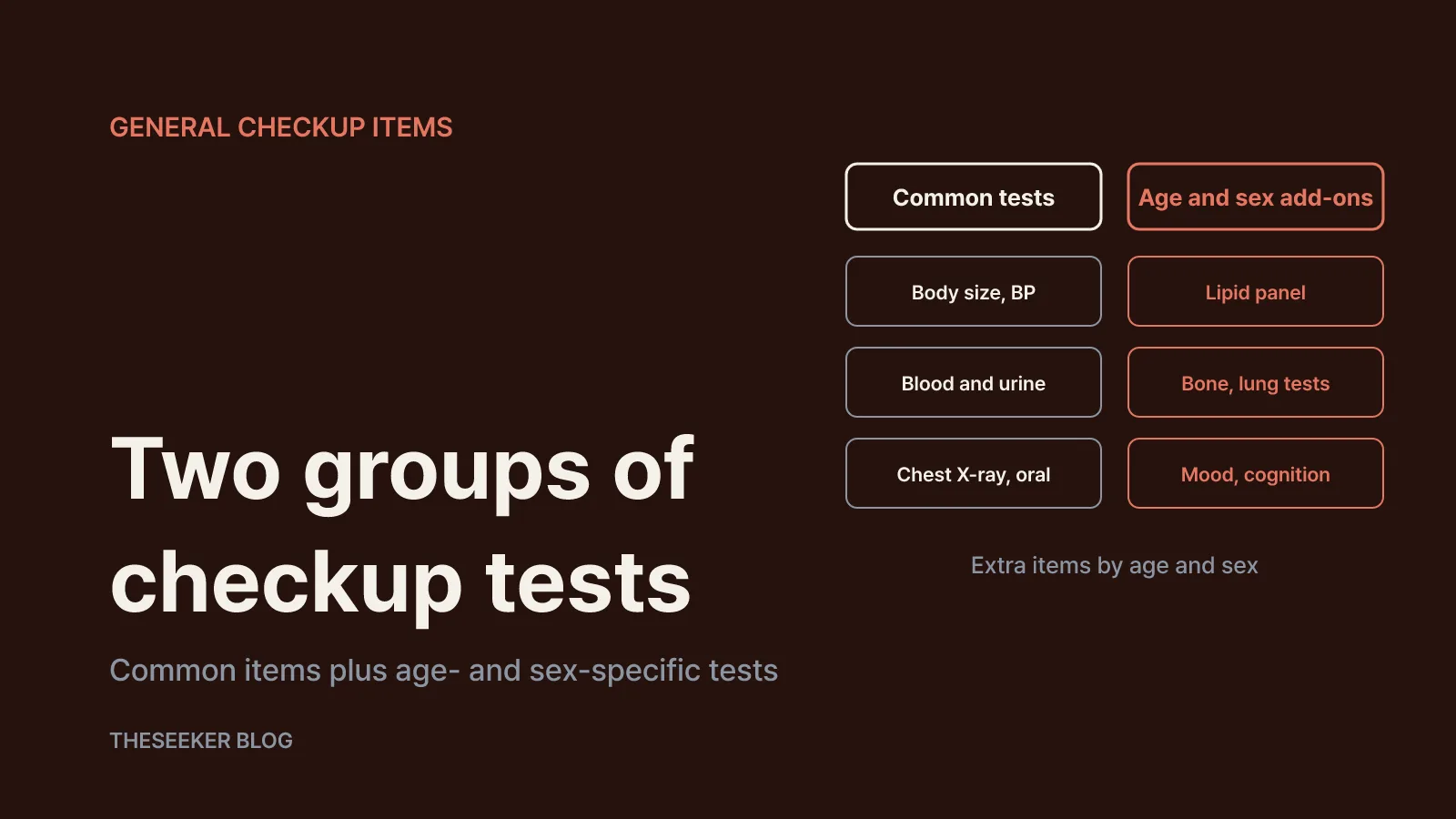
General checkup items fall into two groups. The common items listed by the NHIS are a consultation and examination; height, weight, waist circumference and obesity index; vision, hearing and blood pressure; a chest X-ray; blood tests for haemoglobin, fasting glucose, AST, ALT, γ-GTP, serum creatinine and e-GFR; a urine test; and an oral exam. The KDCA explains that haemoglobin screens for anaemia, fasting glucose for diabetes, AST, ALT and γ-GTP for liver function, and creatinine and e-GFR for kidney function.
Additional items depend on age and sex:
- Lipid panel (total, HDL and LDL cholesterol, triglycerides): men from 24 and women from 40, every four years
- Hepatitis B test at 40 (excluding carriers or people already immune); hepatitis C test at 56
- Lung function test at 56 and 66; bone density test for women at 54, 60 and 66
- Cognitive impairment screening every two years from 66
- Depression screening every two years from 20 to 34, then once in each band (35–39, 40s, 50s, 60s, 70s); early psychosis screening every two years from 20 to 34
- Lifestyle assessment at 40, 50, 60 and 70; physical function test for older adults at 66, 70 and 80; dental plaque test at 40
The NHIS page notes that test cycles and tools may be added once the official notice is finalised, so recheck the table before your appointment. The KDCA states that the NHIS covers the full cost of the general checkup. Extra tests suggested by a screening centre may be separate, so ask about cost at reception.
What to do if your results do not appear
Screening centres must send your result notice by post or email within 15 days of the checkup. NHIS records appear once the centre's claim has been processed; the NHIS notes, for example, that its driving licence and employment certificates only cover results whose claims are complete. If nothing shows up right after your visit, wait for the centre's notice first, then check the app again later. If results are still missing:
- Confirm it was a national checkup rather than a privately paid health screening. Private results may not appear, though the website has a 민간검진 입력/비교 menu for entering and comparing them yourself.
- Make sure you logged in under your own name; family members verify separately.
- Ask the screening centre whether the notice went to the correct address or email.
- Contact the NHIS at 1577-1000 or a local branch.
Preparation also matters. The NHIS asks you to fast from 9 p.m. the night before, avoid water, coffee, milk, cigarettes, juice and gum that morning, and keep at least eight hours of fasting for afternoon appointments, because results can differ if you are not fasting.
Using your results after the checkup
If your notice flags suspected high blood pressure, diabetes, dyslipidaemia, tuberculosis, depression or early psychosis, or hepatitis C, the NHIS offers a confirmatory test. Bring the result notice and ID to an eligible clinic or hospital by 31 March of the following year. Hepatitis C confirmation requires paying first and claiming the cost back separately through Government24 or a public health centre, and additional tests such as HbA1c or CT scans cost extra. The KDCA notes the co-payment exemption applies only to the first confirmatory test.
The NHIS website also issues official documents from your checkup record: a workplace checkup confirmation, a checkup record for driving licence aptitude tests (a national checkup within two years before applying can exempt you from the vision and hearing test, if the claim is settled), and a substitute notice for pre-employment medical checks covering results from the last two years, downloadable as a PDF. The NHIS guide stresses that checkup data is personal information and that users bear responsibility when using it as evidence elsewhere, so submit the official printout rather than screenshots.
Finally, use the five-year view to note how recurring measures such as blood pressure, fasting glucose and waist circumference move over time, and bring those notes to your next appointment.
Sources
Frequently asked questions
How soon can I see my checkup results in the NHIS app?
Screening centres send a result notice within 15 days. NHIS records update after the centre's claim is processed, so if results are not visible right away, wait for the notice and check 건강검진 결과조회 again later.
How do I know which tests I will get this year?
Compare your age and sex with the common and age- and sex-specific item tables in the NHIS checkup guidance, then confirm with the eligibility lookup and your screening centre.
Can I see several years of results at once?
Yes. According to the NHIS service guide, the 검진결과 한번에보기 button on the result lookup screen shows results from the most recent five years.
Will a private health screening from my employer show up?
The NHIS lookup shows national health screening records. Privately paid screenings may not appear, but you can enter them yourself through the 민간검진 입력/비교 menu on the NHIS website.
I lost my checkup notice. Can I still get screened?
Yes. Screening centres can confirm eligibility from your ID, and you can request a new notice at 1577-1000 or print an eligibility confirmation from the NHIS website after verification.
blog.theseeker.io/en/posts/nhis-health-checkup-results-lookup-app
Sophia Reed
Sophia covers checkups, nutrition and everyday health habits, drawing on guidance published by public health agencies and medical societies.
Read our editorial standards